ODF

  • LibreOffice 4.4.1 – a vast improvement

    Yesterday my laptop’s install of LibreOffice was upgraded from version 4.3.3.2 (which is the latest version available for Debian Jessie) to the latest available version – LibreOffice 4.4.1.

    As there is no specific Debian repository that I can find for newer versions of LibreOffice, this process had to be done manually.

    The first stage was to download the zipped .deb packages required, i.e. the main installer, followed by the British English user interface. These were then unzipped in preparation for installation.

    However, before installation could take place, the older version of the suite had to be removed. This was done via the command line by opening a terminal and typing (as root):

    apt-get remove --purge libreoffice-core libreoffice-common

    Now the new version could be installed, once again via a terminal opened in the folder to which the main program’s .deb packages had been unzipped. This time the command – once more as root – is again straightforward:

     dpkg -i *

    Once the main program had been installed, the British English user interface could then be installed by running the dpkg command in the folder containing the relevant .deb, substituting the asterisk for the relevant package name.

    And that was it: I now had the latest release running.
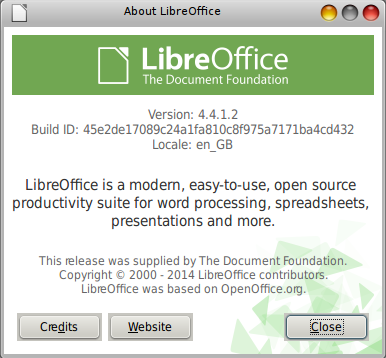
    screenshot of LibreOffice About window

    As regards this release itself, The Document Foundation blog reported that over 100 bugs had been fixed compared with version 4.4.0.

    As someone whose days are spent slaving over a word processor and quite often has to use text effects such as subscript and superscript, I’m very pleased to see that these are included as standard on one of LibreOffice Writer’s toolbars.

    screenshot of LibreOffice Writer toolbar

    Putting on my linguist’s hat, another great addition to Writer’s toolbars is the special character menu shown by the capital L bar icon (Ł). This opens up the character selector – in my case kcharselect – for those special characters whose keyboard shortcuts one doesn’t happen to know. 🙂

    toolbar showing the capital L bar icon for special characters

    My overall impression is that LibreOffice 4.4.1 is the best LibreOffice to date. The redesigned toolbars will help make me more productive since I won’t need to go hunting around through menus quite so much, which can slow one down.

    My thanks to The Document Foundation and its developers for a great piece of work.

  • Bristol City Council asked about open standards

    BCC logoWhenever I make a Freedom of Information (FoI) request to Bristol City Council, the response invariably comes back in a proprietary Microsoft Office format (e.g. .docx, .xlsx, etc.), a practice I find less than satisfactory – not to say galling – as an advocate of free and open source software and open standards.

    That being so, the following FoI request has been made today to the council:

    Dear Bristol City Council,

    This is a request for information under the Freedom of Information Act.

    In July 2014, the Cabinet Office announced the adoption of open standards for document viewing and collaboration in central government. See https://www.gov.uk/government/news/open-document-formats-selected-to-meet-user-needs for details.

    The standards adopted are:

    – PDF/A or HTML for viewing government documents;
    – Open Document Format (ODF) for sharing or collaborating on government documents.

    What plans does Bristol City Council have to emulate central government’s move and when will similar open standards be adopted by the council for communicating and collaborating with citizens.

    Yours faithfully,

    Steve Woods

    Hopefully an answer will be forthcoming by Document Freedom Day 2015 (posts passim).

  • DFD2015 is 25th March

    Document Freedom Day is an international day celebrating open standards and happens every year on the last Wednesday of March. This year it will take place on 25th March.

    It is a day to come together and raise attention towards the ever growing importance of Open Standards for all aspects of our digital communication and information accessibility.

    With the rise of new technologies and hardware, more and more communication is transmitted via electronic data. At the same time, more and more information is provided in digital formats or even created in digital format and will never be transferred to any analogue media. Various companies try to exploit these factors by offering communication or information services that use proprietary data formats to lock users into their software, hardware and services, so-called vendor lock-in.

    Celebrating Document Freedom Day is part of the fight against proprietary standards and vendor lock-in and a great opportunity to promote open standards, such as Open Document Format.

    Open standards are formats and protocols which everybody can use free of charge and restriction. They come with compatibility “built-in” – the way they work is shared publicly and any organisation can use them in their products and services without asking for permission. Open standards are the basis of cooperation and modern society: train tracks, power sockets and natural language are all examples of specifications that we all rely on and take for granted in daily life.

    DFD 2015 flyer

    In the past year there’s been a great boost to open standards in the United Kingdom with central government’s adoption of open standards for viewing or collaborating on government documents (posts passim).

    Now that Whitehall has adopted open standards, it’ll probably be a long battle to get local government to do likewise.

    For more information on Document Freedom Day 2015, visit Document Freedom.

  • LibreOffice and OpenOffice now available as web services on Firefox OS

    The Mozilla blog has announced that rollApp, a US cloud provider, is making the free and open source LibreOffice and OpenOffice office packages available as web services on smartphones running Firefox OS. Apps for Android devices will follow.

    As regards LibreOffice, the packages available for Firefox OS and able to run in a web browser are Writer (word processing), Calc (spreadsheet), Impress (presentation) and Draw (drawing).

    OpenOffice screenshot

    The programs themselves run on the rollApp server as web services. Apps for Android smartphones and tablets should follow shortly. Dropbox, Google Drive und Microsoft’s OneDrive can be used as storasge locations. Along with OpenOffice and LibreOffice, 18 other programs can be run under Firefox OS using the rollApp service, which costs about $7 per month after a free trial period of 14 days has expired.

    In addition to the applications for Firefox OS, rollApp offers a wide range of other open source packages, including graphics packages such as Gimp and Inkscape, plus games.

  • “Most beautiful” LibreOffice 4.4 released

    The Document Foundation has announced the release of LibreOffice 4.4, billed as “the most beautiful LibreOffice ever“.

    This is the ninth major release of this leading free and open source office suite, with a significant number of design and user experience improvements.

    LibreOffice 4.4 infographic
    LibreOffice 4.4 infographic. Click on the image for the full-sized version.

    “LibreOffice 4.4 has got a lot of UX and design love, and in my opinion is the most beautiful ever,” says design team leader Jan “Kendy” Holesovsky. “We have completed the dialog conversion, redesigned menu bars, context menus, toolbars, status bars and rulers to make them much more useful. The Sifr monochrome icon theme is extended and now the default on OS X. We also developed a new Color Selector, improved the Sidebar to integrate more smoothly with menus, and reworked many user interface details to follow today’s UX trends.”

    LibreOffice 4.4 likewise offers several significant improvements in other areas, such as:

    • Support of OpenGL transitions in Windows and improved implementation based on the new OpenGL framework;
    • Digital signing of PDF files during the export process;
    • Installation of free fonts Carlito and Caladea to replace the proprietary Microsoft C-Fonts Calibri and Cambria, to get rid of font related problems while opening Microsoft’s proprietary format OOXML files;
    • The addition of several new default templates designed by volunteers;
    • Visual editing of Impress master pages, to remove unwanted elements, adding or hiding a level to the outline numbering and toggling bullet points on or off;
    • Better Track Changes – with new buttons in the Track Changes toolbar – and AutoCorrect features in Writer;
    • Improved import filters for Microsoft Visio, Microsoft Publisher and AbiWord files, as well as Microsoft Works spreadsheets;
    • New import filters for Adobe Pagemaker, MacDraw, MacDraw II and RagTime for Mac;
    • Greatly expanded support for media capabilities on each platform.

    A complete list of new and improved features is available in the release notes.

    LibreOffice 4.4 is available immediately for download from http://www.libreoffice.org/download/.

    I’m looking forward to the new release being available in the Debian Jessie software repositories in the next few days. 🙂

  • City of Munich joins The Document Foundation Advisory Board

    TDF logoIt’s been announced that the City of Munich has joined the Advisory Board of The Document Foundation (TDF) the non-profit foundation steering the development of LibreOffice, the leading free and open source office productivity suite.

    On the TDF’s Advisory Board, Munich’s city council will be represented by Florian Haftmann. Back in 2003, the city of Munich – the capital of Bavaria and Germany’s third largest city – launched the LiMux Project to migrate their software systems from closed-source, proprietary products to free and open-source software. The project was successfully completed in late 2013. The City of Munich has hosted a LibreOffice HackFest since 2011 to improve LibreOffice’s features aimed at enterprise environments.

    “The city of Munich is a healthy reference for every migration to free software and as such will add a significant value to our Advisory Board, where it will seat side by side with MIMO, representing the migration to LibreOffice of French Ministries, and with other companies providing value added services on top of LibreOffice,” says Thorsten Behrens, Chairman of The Document Foundation. “Doctor Florian Haftmann will be introduced to other members of TDF Advisory Board during next planned meeting, on January 15, 2015.”

    With Munich’s addition, the TDF Advisory Board now has 17 members: AMD, CIB Software, City of Munich, CloudOn, Collabora, FrODeV (Freies Office Deutschland), FSF (Free Software Foundation), Google, Intel, ITOMIG, KACST (King Abdulaziz City of Science and Technology, Saudi Arabia), Lanedo, MIMO (Consortium of French Ministries), RedHat, SPI (Software in the Public Interest), Studio Storti and SUSE.

    Reposted from Bristol Wireless.

  • No immediate ODF support for mobile MS Office

    ODF file iconThe Register reported yesterday on developments for MS Office on mobile devices (iOS, Android and Windows phones and tablets).

    Even though MS is reported to be going cross-platform “rather aggressively” in the words of Technical Product Manager Kaberi Chowdhury, there appears to be no corresponding effort to embrace open standards for mobile devices.

    As El Reg states:

    The mobile apps work well with Microsoft’s latest Office formats, such as docx and xlsx, but what about Open Document (ODF), as mandated by the UK government for use wherever possible?

    “We will bring support for ODF files to the iOS apps in a future update. Similarly, with the Android apps, we will deliver support in a future update following general availability. For the touch-optimized Office apps we’re delivering with Windows 10, we will have more to share soon,” said Chowdury.

    It’s hardly surprising Microsoft’s approach reeks of vendor lock-in. Office is after all its biggest cash cow after its insecure operating system.

  • LibreOffice 4.3.4 released

    The Document Foundation blog has announced the release of LibreOffice 4.3.4. This is the fourth minor release of LibreOffice 4.3 “Fresh” family, which is a stable release of the more advanced version of the software, and is targeted to users focusing on features. The new release contains over 60 bug fixes.

    LibreOffice banner

    For technical details of LibreOffice 4.3.4, consult the change log.

    LibreOffice 4.3.4 “Fresh” can be downloaded for free from http://www.libreoffice.org/download/, although The Document Foundation would welcome donations to support its work from LibreOffice users, free software advocates and community members.

  • Target for signed PDFs in LibreOffice reached in 3 days

    Wilhelm Tux logoEU open source news site Joinup reports that the crowdfunding appeal launched by Wilhelm Tux for the incorporation of signed PDF functionality in LibreOffice (posts passim) has reached its target of CHF8,000 (about €10,000) in just three days.

    To date 90 organisations, companies and individuals have contributed to the Wilhelm Tux crowdfunding campaign, including Swiss Post Solutions, a division of the Swiss Post Office (isn’t it great to see the public sector supporting free and open source? Ed.).

    Once implemented, LibreOffice will be able to:

    • Create PDF documents with legally accepted digital signatures accompanied by a timestamp;
    • Conform to PDF/A signature standards;
    • Use either Mozilla Firefox or Thunderbird to manage certificates using a simple interface.

    Implementation of the project has been awarded to Collabora, an open source IT service provider, and the work is expected to be completed by April 2015.

    Collabora, which is based in Cambridge, has issued a statement in connection with the Wilhelm Tux crowdfunding campaign, which declares:

    The success of their campaign shows that Swiss businesses want LibreOffice, want digital signing, and, given the opportunity, are happy to pay for it. It also demonstrates the freedom that the LibreOffice ecosystem provides to businesses. Independently of The Document Foundation who steward and steer LibreOffice development, and independently of the many businesses who have stakes in the future of the application, organisations of any size can organise the addition of new features. When their needs are shared, they need not even bear the exclusive burden of cost.

    Work on adding digital signature functionality to this popular free and open source office suite was initially started in 2012, but then stagnated.

  • Swiss raise funds for LibreOffice development

    Wilhelm Tux logoWilhelm Tux, a Swiss organisation promoting the use of free software, has launched a fundraising campaign to improve LibreOffice, with the target of raising €8,000 to implement the signing of PDF documents in LibreOffice, German IT news site heise reported yesterday.

    LibreOffice can already digitally sign ODF files, its native file format. However, it has no equivalent function as yet for PDF files; the relevant code is still regarded as experimental and not mature yet. Collabara, a software company specialising in free software, will use the money raised to bring the code up to the stage of production application.

Posts navigation