The Document Foundation (TDF) has today announced the immediate availability of LibreOffice 5.1.3, the third minor release of the LibreOffice 5.1 family, which now supports Google Drive remote connectivity on GNU/Linux and MacOS X operating systems.
LibreOffice 5.1.3 is targeted at technology enthusiasts, early adopters and power users. For more conservative users and for enterprise deployments, TDF recommends the “still” version – LibreOffice 5.0.6. For enterprise deployments, The Document Foundation also recommends professional support by certified people.
For those users interested in helping to test forthcoming releases, there are also development versions and nightly builds available. However, these are not recommended for use in a production environment, where stability and reliability are required.
LibreOffice users, free software advocates and community members can also support The Document Foundation with a donation.
LibreOffice Conference 2016
In 2016 the annual LibreOffice Conference will be hosted by the Faculty of Information Technology at Brno University of Technology in the Czech Republic from 7th to 9th September.
Yesterday The Document Foundation announced the availability LibreOffice 5.0.6 “still”, the sixth release of the LibreOffice 5.0 family, which can be used for the deployment in large organisations and for more conservative software users.
The Document Foundation recommends large-scale deployment of LibreOffice 5.0.6 with professional level 3 support from certified developers (a list of qualified developers is available at https://www.libreoffice.org/get-help/professional-support/). When migrating to LibreOffice from proprietary office suites such as MS Office, organisations are further advised to seek professional support from certified migration consultants and trainers, which are listed on the same web page.
In addition, there are companies providing LibreOffice LTS (Long Term Support) versions with incremental updates which are targeted at enterprise deployments.
LibreOffice users, free software advocates and community members can support The Document Foundation by making a donation. In addition, LibreOffice merchandise is now available from the brand new project shop.
LibreOffice Conference
The 2016 LibreOffice Conference will be hosted by the Faculty of Information Technology at Brno University of Technology in the Czech Republic from 7th to 9th September. The conference is being organised by OpenAlt.
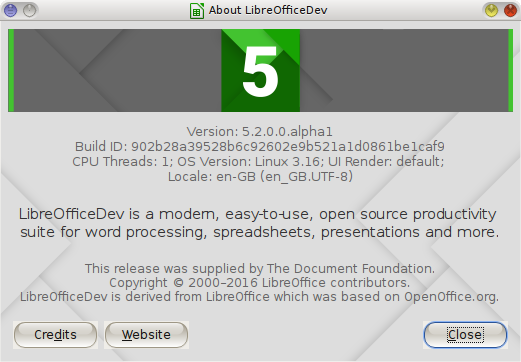
LibreOffice 5.2 alpha1 – a development version currently available
Pre-release development versions of LibreOffice are also available. To access these, visit the pre-releases server.
Finally, for those who want to right on the bleeding edge of software development, there are nightly builds available, although it should be pointed out that both pre-release and nightly build versions are intended for technology enthusiasts and developers only; use in a production environment by users with average IT skills is not recommended.
The Document Foundation (TDF), the German foundation behind the free and open source LibreOffice productivity suite, has today announced the release of LibreOffice 5.1.2, the second minor release of the LibreOffice 5.1 family.
LibreOffice 5.1.2.2 in use
LibreOffice 5.1.2 is targeted at technology enthusiasts, early adopters and power users. For more conservative users and for enterprise deployments, TDF recommends use of the “still” version: LibreOffice 5.0.5. For enterprise deployments, The Document Foundation suggests the backing of professional support by certified people, of whom a list is available.
In addition, LibreOffice users, free software advocates and community members are encouraged to support TDF with a donation.
User comment
Your correspondent has been using LibreOffice 5.1.2 since the first pre-release version was made available. It has proved itself to be nimble, reliable and I would recommend it as a replacement for your current office suite, particularly if you wish to escape vendor lock-in and support free and open source software too.
A blog post earlier this week from The Document Foundation, the organisation behind LibreOffice, the popular free and open source office productivity suite, gives details of the first bug hunting session for the forthcoming release of LibreOffice 5.2.
This initial session will be held on Friday, 22nd April 2016. Tests will be performed on the Alpha version of LibreOffice 5.2, which will be available on the pre-releases servers a few days before the event. Builds will be available for Linux (DEB and RPM), MacOS and Windows.
Mentors will be available on on the day from 8.00 a.m. UTC to 10.00 p.m. UTC. Of course it will also be possible to hunt bugs on other days, as the builds of this particular Alpha release (LibreOffice 5.2.0 Alpha) will be available until the end of May.
During the day there will be two dedicated sessions: the first to chase bugs on the four main LibreOffice modules – Writer, Calc, Impress and Draw – between 3.00 p.m. UTC and 5.00 p.m. UTC; and the second to test the top 10 features between 5.00 p.m. UTC and 7.00 p.m. UTC. The list of the top 10 features will be decided during the week before the session and will be added to the wiki page.
Today, 30th March, is Document Freedom Day, an annual celebration of the benefits of using open standards and open formats for the production and exchange of documents.
Open standards are essential for interoperability and freedom of choice based on the merits of different software applications. They provide freedom from data lock-in and the associated vendor lock-in. This makes open standards essential for governments, the public sector, companies, organisations and individual users of information technology.
What is an open standard?
An open standard is defined as a format or protocol that is:
Subject to full public assessment and use without constraints in a manner equally available to all parties;
Without any components or extensions that have dependencies on formats or protocols that do not meet the definition of an Open Standard themselves;
Free from legal or technical clauses that limit its utilisation by any party or in any business model;
Managed and further developed independently of any single supplier in a process open to the equal participation of competitors and third parties;
Available in multiple complete implementations by competing suppliers or as a complete implementation equally available to all parties.
Examples of open formats include Open Document Format (ODF) and plain text (.txt).
Three days ago, The Document Foundation (TDF) announced the release of LibreOffice 5.1.1, the latest release of the LibreOffice 5.1 family.
LibreOffice 5.1.1 offers a long awaited feature in Writer – the first request for which dates back to 2002 – as it allows hiding the white space between pages to provide a continuous flow of text. This feature will be extremely useful on laptops.
LibreOffice 5.1.1 is targeted at technology enthusiasts, early adopters and power users. For more conservative users and enterprise deployments, TDF suggests the “still” version: LibreOffice 5.0.5. For enterprise deployments, The Document Foundation recommends engaging certified professional support.
Besides the “fresh” and “still” versions of LibreOffice, those who want to be at the bleeding edge or assist in development can also download development versions, nightly builds and the source code. Your correspondent is currently using a pre-release version, 5.1.3*.
* = When initially upgraded, the installation process reported data corruption in the Calc spreadsheet component. This was resolved by downloading the package again and re-installing the relevant spreadsheet packages.
One of the great advantages of using the free and open source LibreOffice productivity suite is the existence of extensions that extend the suite’s functionality.
Those extensions that save me either time or effort or both are particularly welcome. The last extension recommended on this blog was the MultiFormatSave extension, which enables saving in up to 3 separate file formats (ODF, MS Office and PDF) with one mouse click.
Today another extension has come to light which likewise saves your correspondent time and effort – Portrait or Landscape, developed by Antonio Faccioli.
In my work documents are quite frequently submitted for translation with page orientations that switch back and forth between portrait and landscape or vice versa. In the past, coping with these changes has necessitated consulting LibreOffice’s help files, followed by implementing what I’ve just read, all of which takes a couple of minutes and involves burrowing down through the Format menu, as the procedure isn’t as straightforward as it could be.
Once installed, Antonio’s new extension inserts a toolbar with 5 new icons, as shown below on the left of the image below. These new icons make changing page orientation a very simple operation involving a single click of the mouse.
LibreOffice menu with Portrait or Landscape extension installed on the left
The extension uses the styles “Default”, “Landscape” and “First page” to change the orientation of the current page or to insert a new page. It also displays a message showing the style currently in use.
The extension has been tested on LibreOffice 5.0 and is licensed under version 3 of LGPL.
Thank you very much for this extension, Antonio; you’ve one very happy user of your extension here! 🙂
Today The Document Foundation, the independent self-governing meritocratic body created by former leading members of the OpenOffice.org Community to continue developing a free and open source office suite – LibreOffice – celebrates the 4th anniversary of its incorporation as a charitable Foundation under German law (gemeinnützige rechtsfähige Stiftung des bürgerlichen Rechts).
To mark this milestone, the Foundation has released the video below to illustrate the breadth of the LibreOffice community today.
Yesterday The Document Foundation announced the release of LibreOffice 5.0.5, the fifth release of the LibreOffice 5.0 family. Following the release last week of LibreOffice 5.1 (posts passim), LibreOffice 5.0.5 becomes the latest in the “still” series of releases; the “still” series is a stable version that has undergone more testing over a lengthy and is recommended for deployment in large organisations.
Those interested in the release’s technical details can consult the change logs for both the RC1 bug fixes and RC2 bug fixes.
Professional support
The Document Foundation suggests large scale deployments of LibreOffice 5.0.5 are undertaken only with the backing of professional level 3 support from certified developers, for which the LibreOffice website has a list.
Furthermore, when migrating to LibreOffice from proprietary office suites, organisations should seek professional support from certified migration consultants and trainers, which are listed on the same LibreOffice professional support web page.
Supporting LibreOffice
LibreOffice users, free software advocates and community members can support The Document Foundation by making a donation.
In addition, supporters can also buy LibreOffice merchandise from the brand new project shop.
The Document Foundation has announced the release today of LibreOffice 5.1, a full featured open source office suite with superior interoperability features, for all major platforms – Linux, Mac OSX and Windows.
Compared with previous releases, LibreOffice 5.1 offers a completely overhauled user interface and several improved features targeted at enterprise deployments, e.g. better support for ODF 1.2, interoperability with proprietary document formats and file management on remote servers.
LibreOffice has been downloaded 120 million times since its launch in January 2011 and is now being deployed by large organisations around the world, the latest addition being for Italian defence staff with over 100,000 desktops (posts passim).
LibreOffice 5.1 Highlights
User Interface: LibreOffice 5.1’s user interface has been completely reorganised to provide faster, more convenient access to its most used features. A new menu has been added to each of the applications: Style (Writer), Sheet (Calc) and Slide (Impress and Draw). In addition, several icons and menu commands have been repositioned based on user preferences.
Interoperability: Compatibility with proprietary document formats – principally MS Office formats – has been improved as a part of continuing efforts for better interoperability with other office packages. The latest interoperability changes include the addition of filters for Apple Keynote 6, Microsoft Write and Gnumeric files.
Spreadsheet Functions: Calc’s formula engine has been improved with features addressing restrictions in table structured references and sticky column/row anchors, interoperability with OOXML spreadsheets and compatibility with ODF 1.2
File Access on Remote Servers: Files stored in the cloud on remote servers such as Sharepoint, Google Drive and Alfresco can now be accessed from the File menu, with read and write options and without the need of a dialog window.
LibreOffice 5.1 has also been improved “under the hood,” thanks to the work of hundreds of volunteers. Their work has produced an open source office suite that’s easier to develop, maintain and debug. Although this is not visible to users, it is extremely important for enterprise deployments.
“LibreOffice 5.1 is another step forward to fulfilling our vision of an office suite tailored on user needs and preferences”, says Bjoern Michaelsen, a Director at The Document Foundation (TDF) and a leading LibreOffice developer. “Since 2010, we have gone through different development cycles to clean up the code and make it more responsive. We are now at a stage where we are close to providing a better user interface.”
Availability and enterprise deployments
LibreOffice 5.1 represents the bleeding edge in term of features for open source office suites and is targeted at technology enthusiasts, early adopters and power users.
For enterprise class deployments, TDF maintains the more mature 5.0.x branch (soon at 5.0.5). In any case, TDF suggests deploying or migrating to LibreOffice with the backing of certified professionals providing Level 3 support, migration consultancy or trainings according to recognized best practices (http://www.libreoffice.org/get-help/professional-support/).
LibreOffice 5.1 is available for immediate download. LibreOffice users, free software advocates and all community members can also support The Document Foundation with a donation.