Bing, Microsoft’s alternative to Google Translate, is used by Twitter to provide instant translation for users.
However, it isn’t very good, as this blog has repeatedly pointed out.
And it doesn’t look as if any improvements will be forthcoming soon, if the evidence below from your correspondent’s Twitter feed today is to be believed, where Bing mistook English for Estonian, a language belonging to the Finnic branch of the Uralic language family.
If Bing cannot even identify the language correctly, one has to question the quality of any translation it produces.
Yesterday The Document Foundation announced the release of LibreOffice 5.3 for Windows, macOS and Linux, as well as for the private cloud for the first time.
LibreOffice 5.3 represents a significant step forward in the evolution of this free and open source office suite: it introduces new features such as online collaborative editing and at the same time provides incremental improvements to make the program more reliable, interoperable and user-friendly.
New features
LibreOffice 5.3 offers a number of interesting new features in every area including:
a new cross-platform text layout engine that uses HarfBuzz for consistent text layout on all platforms, with significant advantages across languages and alphabets;
a revised Help menu, with new quick links to user guides and community support forums; and
better import/export filters for new and legacy MS Office documents.
New features in Writer include:
Table Styles, for applying formatting to a table which is preserved when edited; and
new Go to Page Box (activated by keystrokes Ctrl+G) makes it possible to jump to another page in the document with fewer keystrokes.
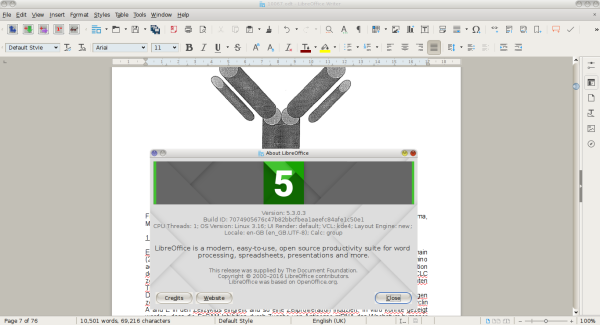
LibreOffice 5.3 Writer in action
Turning to spreadsheets, Calc provides a new set of default cell styles, with greater variety and better names than in previous releases, whilst in fresh installations, “Enable wildcards in formulas” is now the default option, rather than regular expressions, to improve compatibility with other spreadsheet software.
Impress, LibreOffice’s presentation package, now opens with a template selector to get the user off to a quick start. In addition, a new Slide Properties Deck is now available in the sidebar while in slide master mode.
As of this release, the LibreOffice UI has been extended with the addition of an experimental Notebookbar, which offers another UI option in addition to the Default UI (with two toolbars), the Single Toolbar UI and the Sidebar with a Single Toolbar. Each UI layout has been thought to serve a different cluster of LibreOffice users.
LibreOffice Online
LibreOffice 5.3 features the first source release of LibreOffice Online, a cloud office suite enabling basic collaborative editing of documents in a browser by re-using the LibreOffice “core engine”.
LibreOffice Online is fundamentally a server service and should be installed and configured by adding a cloud storage and a SSL certificate, which are not included in the package.
Builds of the latest LibreOffice Online source code are available as Docker images.
Availability
LibreOffice 5.3 is available for immediate download (your correspondent has already moved onto an as yet unreleased development version. Ed.).
However, for large scale and commercial deployments, The Document Foundation recommends the more mature 5.2.5 version (posts passim), preferably with professional support.
Monies raised will be used to fund the Centre’s “EasyPC” IT classes for older people, which play an invaluable role locally, by introducing my fellow silver-haired citizens to the benefits of modern technology.
Details of the event and where to get tickets are on the publicity poster below.
The Document Foundation (TDF) blog has today announced the release of LibreOffice 5.2.5 “still”, the fifth minor release of the LibreOffice 5.2 family and is inviting all users to update to this latest release from LibreOffice 5.1.6 or previous versions.
This latest release comes with over 70 bug fixes and improvements compared with the previous version.
As usual, TDF recommends professional support for large-scale deployments of LibreOffice in major companies and public sector organisations.
Besides this latest release, LibreOffice 5.3, the next version of the more cutting edge LibreOffice “fresh” line, is due out on 1st February.
As is customary with every new release, free software advocates and community members are invited to support the work of The Document Foundation with a donation.
Yesterday the LibreOffice project celebrated its sixth anniversary since the project forked from OpenOffice.org.
Just one day later The Document Foundation (TDF) has announced on its blog the release of LibreOffice 5.2.2, the second minor release of the 5.2 series.
LibreOffice 5.2.2 is targeted at technology enthusiasts, early adopters and power users and features a number of fixes over the major release announced in August. Those interested in release’s technical details about the release can consult the change log to discover the bugs fixed in RC1 and those fixed in RC2.
For more conservative users and enterprise deployments, TDF recommends using LibreOffice 5.1.5 “still”, complete with the back-up of certified professional support.
Mr. Casson used Google Translate to get his message across in te reo Maori.
As a consequence, his election address dropped through the letterboxes of Maori voters made an impact for all the wrong reasons, with the unintelligible jumble of words and phrases being described by Waikato University language expert Tom Roa as “very, very, very poor“.
Another Waikato University lecturer, Te Taka Keegan, who teaches computer science and worked on Google Translate remarked: “The gibberish that is written in the second part of this bio is barely recognisable as te reo Maori, it is disrespectful to the Maori language.”
When queried, Mr. Casson said he was unaware of how his profile was translated, stating that he gave his English version to a “Maori woman” at his office to get it done.
Stuff carried out its own test, copying Casson’s English language text into Google Translate and receiving in return “a word-for-word, error-ridden version of the official Hamilton City Council“, missing prepositions, articles and connecting words.
According to Newshub, another New Zealand news site, a translation back into English of Mr. Casson’s botched Maori translation reads as follows:
Work James 26 years inside New Zealand Police, before officer Charge of Northland, Hamilton community Police centre Flagstaff.
Work overseas like a peace keeper in Bougainville, Papua new Guinea, Tonga, Solomon Islands, Timor to the United Nations.
Return the good community, work the people work to safe. James worked for Police to build safe Hamilton for you.
Straight ahead [the text then seems to be another Pacific language]. faitotonu mo e angatonu aia takitahi. KORE ki Mita Water, paying Rate for dinner Council/feast for councillors using a free Corporate Box at Stadium Waikato or by councillors.
Free waka on some of the adds being used of Auckland.
Working towards finishing vagrants in Auckland.
Resources HCC maintenence, paddlers trying to hold into a beautiful looking Hamilton.
The moral of this story is that if you want a decent translation, you’re still better of with a human being than machine translation and this is likely to be the case for many years to come.
Your ‘umble scribe has today received an email from Kurt James, Neighbourhood Partnership Co-ordinator at Bristol City Council, announcing an event next month in east Bristol.
Bristol Libraries is organising a free (as in beer. Ed. 😀 ) digital skills workshop next month in collaboration with the Ashton, Easton and Lawrence Hill Neighbourhood Partnership and local volunteers to help local residents who haven’t already done so get online.
The event will be held at Junction 3 Library, Baptist Mills Court, Easton, Bristol, BS5 0FJ (map).
The date and time: Tuesday 11th October, 1.30 p.m. – 3.30 p.m.
Attendees will learn how to:
Get online for the first time;
Shop and bank online;
Access government services online;
Use social media.
Those interested can book a space at the workshop by contacting the library by telephoning 0117 9223001. Call that number too if you want more information on the workshop.
LibreOffice developers have released a series of videos to reveal what’s new in the latest release of the free and open source office suite (posts passim).
New features – general
New features – Writer word processor
New features – Calc spreadsheet
New features – Impress presentation software
The release notes for LibreOffice 5.2 are available on the Document Foundation wiki.
Speculation about the demise of Apache OpenOffice may be premature (posts passim).
German IT news site heise reports that a mailing list for new developers has been set up.
By establishing this new list, the OpenOffice team wants to make entry to the open source project easier for programmers.
OpenOffice 4.0- not quite the end of the line, possibly.
After recent discussion of a possible end for the free and open source OpenOffice productivity suite, more developers who are interested in helping with future development have approached the project. The Apache Software Foundation (ASF) has now established a recruitment mailing list to facilitate their access to the source code. Via the list, newcomers will receive answers to questions and suggestions about their next steps from more experienced developers.
The situation does remind your correspondent of the predicament of one Samuel L. Clemens, better known to the world as the author Mark Twain.
The Document Foundation (TDF) has celebrated the opening session of LibOCon (which is currently taking place in Brno. Ed.) with the announcement of LibreOffice 5.2.1, the latest release of the LibreOffice 5.2 family.
LibOCon is a showcase for the LibreOffice project’s activity and will feature over 60 talks in three days, covering development, quality assurance, localisation, Open Document Format (ODF), marketing, community and documentation, a business session in Czech focused on major LibreOffice deployments, as well as a meeting of the Open Source Business Alliance (OSBA).
LibreOffice 5.2.1, which is aimed targeted at technology enthusiasts, early adopters and power users, provides a number of fixes over the major release (5.2) announced in August. For all other users and enterprise deployments, TDF suggests LibreOffice 5.1.5 “still”, with the backing of certified professional support.
Download LibreOffice
LibreOffice 5.2.1 is available for immediate download, whilst LibreOffice users, free software advocates and community members can support the work of The Document Foundation with a donation.




 In
In 


