ODF

  • LibreOffice Viewer for Android released

    The Document Foundation, the organisation behind LibreOffice, the most popular free and open source office suite, has announced the release of a native application for viewing ODF documents on Android devices.

    The app can be installed from the Google Play Store, whilst direct download of the APK will be made available at http://www.libreoffice.org/download/android-viewer.

    LibreOffice Viewer screenshotLibreOffice Viewer also offers basic editing capabilities, like modifying words in existing paragraphs and changing font styles such as bold and italics.

    Editing is still an experimental feature which has to be enabled separately in the settings, and is not stable enough for mission critical tasks. Full-blown editing will be enabled in the future with
    the help of LibreOffice’s steadily growing developer community. The editing features provided in the current release have been developed thanks to donations to The Document Foundation.

    Feedback and bug reports for the app are very welcome to help developers improve its quality en route to a fully-fledged editor. Users are invited to report problems, using the bug tracker and attaching files that have triggered the issue at http://documentfoundation.hosted.phplist.com/lists/lt.php?id=N09VVkUAB00ABgsI.

    LibreOffice Viewer uses the same engine as LibreOffice for Linux, OS X and Windows. This, combined with a new front-end based on Firefox for Android, reads documents similarly to a desktop version of LibreOffice.

    LibreOffice Viewer has been developed by Collabora and Igalia, backed by Smoose, with contributions from Google Summer of Code students, together with The Document Foundation and the LibreOffice community. SUSE provided a key foundation of cross-platform support, whilst the Mozilla Corporation – makers of Firefox- made several core components available.

  • LibreOffice 4.4.3 released

    Yesterday The Document Foundation announced the release of LibreOffice 4.4.3, the third minor release of the LibreOffice 4.4 “fresh” family, with over 80 fixes compared with the previous version, LibreOffice 4.4.2. The new features in LibreOffice 4.4.3 are listed on The Document Foundation wiki.

    People interested in technical details about the release can access the change logs for RC1 fixes and RC2 fixes respectively.

    Download LibreOffice 4.4.3

    LibreOffice 4.4.3 is available for immediate download. By following the download link, more conservative users can find the more tested LibreOffice 4.3.7. The document Foundation recommends all users update their installations to one of these two LibreOffice releases for security reasons.

    Get involved: LibreOffice 5.0 and LibreOffice Conference

    The LibreOffice community is actively working at next major release, LibreOffice 5.0, expected in late July 2015 and your correspondent is already using a development release, LibreOffice 5.0.0.0 alpha1. Pre-release versions such as this are available from http://dev-builds.libreoffice.org/pre-releases/.

    LibreOffice 5 alpha screenshot

    The first bug hunting session on the 5.0 beta release is scheduled from 22nd to 24th May. Details of this session are on The Document Foundation wiki.

    Furthermore, the Call for Papers for LibreOffice Conference 2015 is open 15th July. The conference itself will be hosted by the Danish city of Aarhus from 23rd to 25th September.

    The LibreOffice community is growing, and the bug hunting session and conference represent exceptional opportunities to join the fun together with over 900 developers who have contributed to the code and over 3,000 volunteers who have localised the software, squashed bugs, written the manuals, spoken at conferences and acted as advocates for LibreOffice both at global and local levels.

  • Hungarian universities adopt ODF

    Joinup, the EU’s public sector open source news site, reports that Eötvös University and Szeged University in Hungary are increasing their use of Open Document Format (ODF).

    Between them the 2 universities have some 45,000 students.

    ODF logoIn addition, both universities have also signed licences with MultiRáció of Budapest for the deployment and support of 34,000 copies of EuroOffice, a free and open source office suite developed especially for the Hungarian market, but based on both major free and open source suites, LibreOffice and OpenOffice. EuroOffice is available in 2 versions – free and professional – for both Windows and Linux. It can also be installed in 7 languages – English (US variant), German, French, Italian, Spanish, Polish and Hungarian – which MultiRáció claims are the native languages of 85% of the EU’s population.

    The Hungarian government decided to promote the use of both EuroOffice and ODF in schools and universities in 2014. MultiRáció’s senior software developer Kázmér Koleszár described these initiatives as “an important policy change”, given that the country’s public sector had been reliant on MS Office for the preceding 15 years.

    MultiRáció is actively involved in the ODF specification, being a member of OASIS, a non-profit consortium promoting the development, convergence and adoption of open standards for the global information society.

  • LibreOffice native language projects

    Although the majority of the development for LibreOffice, the world’s most popular free and open source office productivity suite, takes place in English, this doesn’t preclude non-English speakers from being involved.

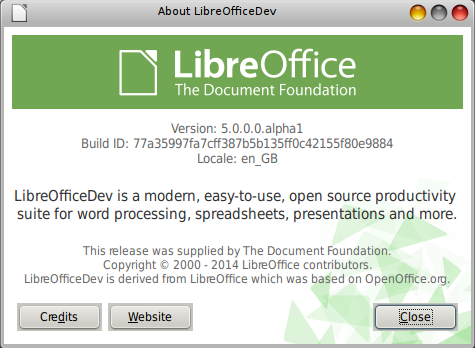
    LibreOffice about window

    There’s always help needed on the localisation project, which relies on the work of the Native Language projects.

    Native Language projects are worldwide communities of LibreOffice volunteers contributing to the project in their own, native language. The Native Language projects contribute everything from localisation, testing of the localised versions of LibreOffice, users support, local promotion, documentation and much more.

    A list of available Native Language projects is posted on the Native Language projects home page and visitors are also encouraged to establish new Native Language communities.

  • LibreOffice 4.4.2 released

    The Document Foundation has today announced the release of LibreOffice 4.4.2, the second minor release of the LibreOffice 4.4 “fresh” family, with over 50 fixes compared with LibreOffice 4.4.0 and 4.4.1.

    LibreOffice about window

    New features introduced by the LibreOffice 4.4 family are listed in the release notes.

    The Document Foundation suggests to deploy LibreOffice in enterprises and large organizations when backed by professional support by certified people, of whom the Foundation maintains a list.

    People interested in technical details about the release can see the changelogs for the bugs fixed in RC1 and bugs fixed in RC2 respectively.

    Download LibreOffice

    LibreOffice 4.4.2 is immediately available for download from http://www.libreoffice.org/download/.

    LibreOffice users, free software advocates and community members can support The Document Foundation with a donation. Money collected will be used to improve the project’s infrastructure and support marketing activities to increase the awareness of the project at both global and local levels.

    I’ve been using version 4.4.2 for a while now since I downloaded a pre-release development build (version 4.4.2.2) and have found it both stable and easy to use.

  • LibreOffice to take to the cloud

    LibreOffice, the best free and open source office suite produced, is set to become the cornerstone of the world’s first global personal productivity solution – LibreOffice Online – following an announcement by IceWarp and Collabora of a joint development effort, The Document Foundation blog reports today. LibreOffice is available as a native application for every desktop operating system and is currently under development for Android. Furthermore, it is available on virtual platforms for Chrome OS, Firefox OS and iOS.

    LibreOffice banner

    “LibreOffice was born with the objective of leveraging the OpenOffice historic heritage to build a solid ecosystem capable of attracting those investments which are key for the further development of free software,” says Eliane Domingos de Sousa, Director of The Document Foundation. “Thanks to the increasing number of companies which are investing on the development of LibreOffice, we are on track to make it available on every platform, including the cloud. We are grateful to IceWarp for providing the resources for a further development of LibreOffice Online.”

    Development of LibreOffice Online started back in 2011 with the availability of a proof of concept of the client front end, based on HTML5 technology. That proof of concept will be developed into a state of the art cloud application, which will become the free alternative to proprietary solutions such as Google Docs and Office 365. It will also be the first to offer native support for the Open Document Format (ODF) standard.

    “It is wonderful to marry IceWarp’s vision and investment with our passion and skills for LibreOffice development. It is always satisfying to work on something that, as a company, we have a need for ourselves,” says Michael Meeks, Vice-President of Collabora Productivity, who developed the proof of concept back in 2011 and will oversee the development of LibreOffice Online.

    The launch of LibreOffice Online will be announced at a future date.

  • Document Freedom Day: why open standards matter

    Document Freedom Day dove posterToday is Document Freedom Day, an annual international celebration of open formats and open standards and an opportunity to promote their use.

    The use of open standards is definitely gaining ground, particularly where it matters, such as in dealings with government bodies. This was amply illustrated last year by the UK Cabinet Office’s announcement of the adoption of open standards for collaborating on government documents.

    Why do open standards matter?

    Open standards are vital for interoperability and freedom of choice. They provide freedom from data lock-in and the accompanying vendor lock-in. This makes open standards essential for governments, companies, organisations and individual users of information technology.

    What is an open standard?

    An open standard refers to a format or protocol that is:

    • Subject to full public assessment and use without constraints in a manner equally available to all parties;
    • Without any components or extensions that have dependencies on formats or protocols that do not meet the definition of an open standard themselves;
    • Free from legal or technical clauses that limit its use by any party or in any business model;
    • Managed and further developed independently of any single supplier in a process open to the equal participation of competitors and third parties;
    • Available in multiple complete implementations by competing suppliers, or as a complete implementation equally available to all parties.

    How do open standards affect you?

    April, the French open source advocacy organisation, has produced a handy graphic in English to illustrate the difference between open and closed formats. Click on the image below for the full-sized version.

    April leaflet showing difference between open and closed formats

    Examples of open standards

    Many open standards are in wide use. Here are 3 examples:

    • Plain text (.txt);
    • HTML, the language of the web;
    • ODF, the default file format of free and open source office suites such as LibreOffice and OpenOffice. ODF can also be handled by Microsoft Office versions from Office 2007 onwards.

    Document Freedom Day is being promoted on social media by the use of the #DFD2015 hashtag.

  • Bristol City Council & open standards – more

    BCC logoFollowing the post on Friday on Bristol City Council‘s response to my open standards FoI request (posts passim), more information has come to light.

    It was all sparked by a discussion on Twitter between myself and Alex, a leading member of the Bristol & Bath Linux Users’ Group (BBLUG).

    It all revolved around what was really meant by the phrase “not fully digital” in respect of PDF files.

    My speculation was that if text documents are scanned, these are usually converted to image-based PDFs with which the screen readers used by blind and visually impaired people can have problems.

    It turned out this was a good point, but not the real reason.

    The latter was supplied by Gavin Beckett, BCC’s Chief Enterprise Architect, who actually responded to my FoI request. It seems Gavin’s main reason for describing PDFs as “not fully digital” is that PDF is basically an attempt to make electronic files emulate paper. The move by the council away from PDF to HTML when responding to citizens is that more mobile devices (tablets and smartphones) are now being used by the public to communicate with the local authority and the latter wishes to provide the same – i.e. “fully digital” experience to all.

    Finally Gavin promised to follow up with his colleagues my gripe about using MS formats for responding to FOI requests. He conceded this was one example where PDF would be better.

  • Recommended LibreOffice extension: MultiFormatSave

    One of the great things about LibreOffice is the ability to customise and extend the software’s functionality by the use of extensions, for which there’s a dedicated website.

    If you use LibreOffice and need to save files in formats other than its native Open Document Formats (in my case, I work in Open Document format, but return work in MS Office formats and send out invoices as PDFs), then the MultiFormatSave extension is a really useful addition to your install since it can simultaneously save your file Open Document, MS Office and/or PDF formats as you choose.

    At the moment Open Document, MS Office 97 (.doc, .xls, etc.), MS Office 2007 XML (.docx, .xlsx, etc.) and PDF formats are supported.

    MultiFormatSave iconOnce installed via LibreOffice’s extension manager, MultiFormatSave adds a small icon – shown on the right – to the toolbars of your office suite’s component programs.

    Clicking on the icon will bring up the dialogue box shown below.

    MultiFormatSave dialogue box

    Saving in up to 3 formats at once is not only convenient, it can in my opinion help reduce one’s chances of falling victim to repetitive strain injury (RSI). 🙂

    More information on MultiFormatSave is available on the LibreOffice extensions site.

  • Response to open standards FoI request

    A response has been received today to my FoI request to Bristol City Council on open standards (posts passim).

    The reply was received in a record 10 working days and reads as follows:

    Bristol City Council has been a long-term supporter of open standards wherever possible. We have frequently voluntarily adopted national government policy on open standards and open source, recognising the benefits of this approach.

    We adopted StarOffice in 2005 and moved to the Open Document Format as our standard for office productivity files at the point it was incorporated in the StarOffice / OpenOffice.org products. We had to move to Microsoft Office in 2010 due to the lack of standards support in the local government applications market, partly due to the fact that national government policy was not mandated at local level and therefore did not have the desired effects on the document standards context. However we retained the ability to create, open and collaborate on ODF by implementing LibreOffice alongside Microsoft Office on all council PCs. Therefore we are already capable of using ODF to collaborate on government documents.

    In terms of publishing government documents to citizens, we have historically used PDF, but are now attempting to replace all information, advice and guidance, and application forms with fully digital services. Over time this will replace old PDF documents with HTML. If there are documents that meet a user need to download and read offline, we can produce PDF/A format from the open source PDF Creator software that is also available on every council PC.

    I’m very pleased to note that BCC has LibreOffice installed on every council machine. They kept that quiet! Perhaps they’ll use it to send me replies to my FoI requests in future instead of the propensity to use MS Office formats. But just to make sure, I’ll include a plea for a reply in an open format in all my future requests. 🙂

    Read the original FoI request and response on WhatDoTheyKnow.

Posts navigation